
Account
Settings
Where every preference lives, tab by tab — account, editor, appearance, files, hotkeys, vault, canvas, plugins, AI, MCP, clipper, publish, collab.
WhereRibbon → gear, or ⌘,
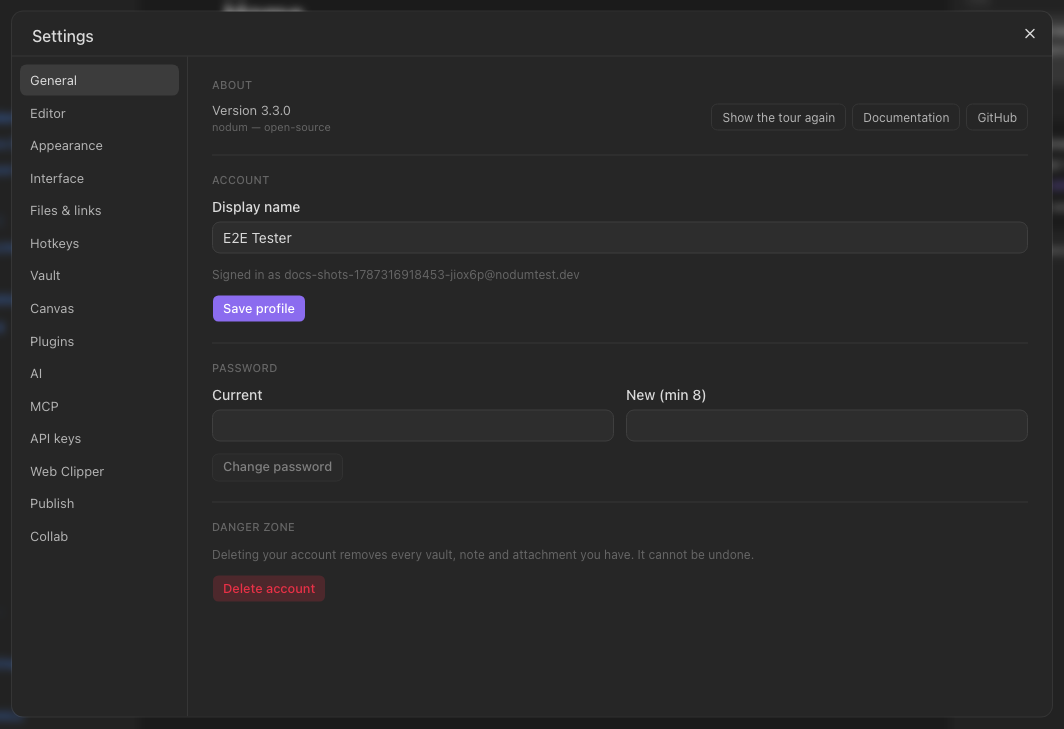
| Tab | What is there |
|---|---|
| General | Your name and password, the app version, the tour and the docs. Delete your account from here too — it asks for a code sent to your email. |
| Editor | Default view for new tabs, font size, line numbers, readable line length, spellcheck. |
| Appearance | Accent colour; interface, text and monospace fonts. |
| Interface | Show or hide the ribbon and the tab title bar. |
| Files & links | Where new notes go, attachment folder, wikilinks vs. markdown links, excluded paths, confirm before delete, whether page preview needs ⌘/Ctrl. |
| Hotkeys | Every shortcut, searchable. |
| Vault | Your vaults (open, rename, delete, demo workspace); daily-note format, folder and template; templates folder. |
| Canvas | Board background. |
| Plugins | Installed plugins and their permissions. |
| AI | Provider, key, model, endpoint — for the account or for this vault only. |
| MCP | Token and client setup for driving Nodum from an AI tool. |
| Web Clipper | The clipper token. |
| Publish | Publish the vault as a site. |
| Collab | Live editing on or off. |
Account settings (General, Editor, Appearance, Interface, Hotkeys, AI, MCP, Web Clipper — and, on Files & links, Confirm before deleting and Page preview requires ⌘/Ctrl) follow you across vaults and devices; the rest are per vault. (AI keys can be either: the tab's Keys for switch picks the account or this vault.)