
Finding things
Search and the quick switcher
The quick switcher opens a note by name in two keystrokes; search finds text inside notes with operators for path, file and tag.
WhereRibbon → magnifier (⌘O). Search: left sidebar → second tab
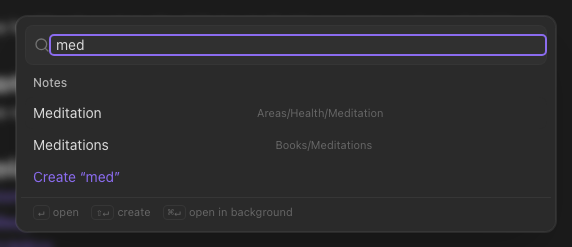
Quick switcher — ⌘O
Type a few letters of a name; the best matches appear as you type. Enter opens the top one, ⌘Enter opens it in a background tab, ⇧Enter creates a new note with the name you typed. It forgives typos and matches on aliases too.
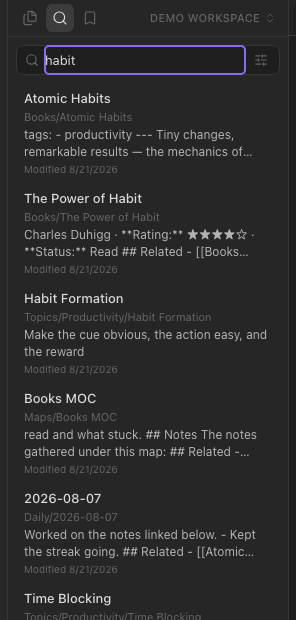
Search — the left sidebar's second tab
Full-text search across every note, ranked, with the matching passage shown under each result. Sort by relevance, modified, created or title.
Operators narrow it:
| Operator | Finds |
|---|---|
path:Projects | notes whose path contains Projects (case-insensitive) |
file:Weekly | notes whose name contains Weekly |
tag:#book | notes tagged #book (nested tags match) |
"exact phrase" | that phrase |
They combine: tag:#book path:Books stoicism.
From the editor
Select a word in a note, right-click → Search for “…” — the sidebar opens with that search run.
Related notes
The Backlinks panel also lists Related notes, between the linked and unlinked mentions: notes whose text overlaps with this one (or, when the server is configured with an embeddings provider, notes that are about similar things). Useful for finding the note you forgot to link.