
Finding things
Command palette and hotkeys
Every action in the app, searchable, from one box — and the keyboard shortcuts behind the common ones.
WhereRibbon → the command icon, or ⌘P. Hotkeys: Settings → Hotkeys
The palette — ⌘P
Type what you want to do: split, export, daily, reading. Every command in the app is here, including the ones without a shortcut, and commands added by plugins.
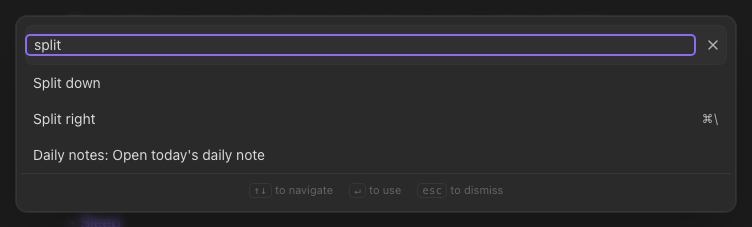
Some commands only appear when they make sense — Delete current note needs a note open.
Shortcuts worth learning
| Keys | Does |
|---|---|
⌘O / ⌘P | Quick switcher / command palette |
⌘N | New note |
⌘G | Graph view |
⌘E | Toggle reading view |
⌘B ⌘I ⌘K | Bold, italic, link |
⌘⇧H | Highlight |
⌘W | Close tab |
⌘\ | Split right |
⌘1…⌘8, ⌘9 | Go to tab N / last tab |
⌘[ / ⌘] | Back / forward |
⌘, | Settings |
The complete list, searchable, is under Settings → Hotkeys, and behind Help → Keyboard shortcuts.