
Extending
AI chat
Chat with your own AI provider about your vault — it can search, read, create and extend notes. Your key, your account, your cost.
WhereRight sidebar → the sparkles icon; Settings → AI to set it up
Your key
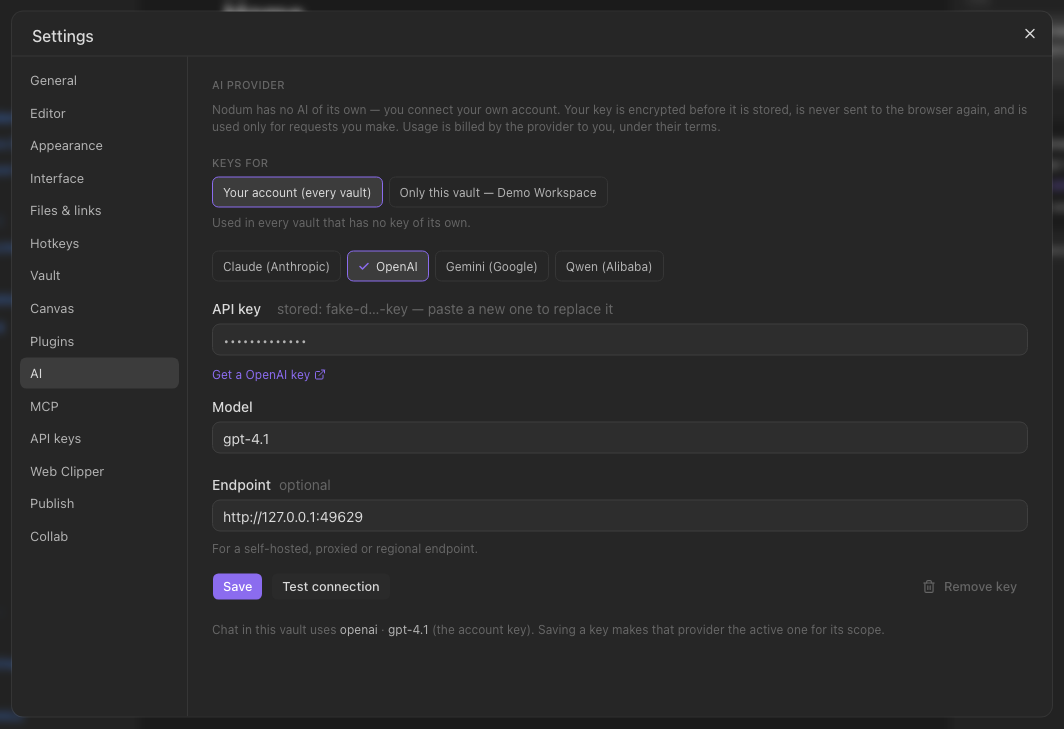
Nodum has no AI of its own. Settings → AI: pick a provider (Claude, OpenAI, Gemini or Qwen), paste an API key from your account with them, choose a model. Keys for decides the scope: your account (every vault) or only this vault — a vault with a key of its own uses it instead of the account's, so one vault can run on a different provider, model or bill. The key is encrypted before it is stored, is never sent back to your browser, and is used only for requests you make. Usage is billed by the provider to you.
Chatting
Open the sparkles panel in the right sidebar and ask. The reply is written as it arrives, and while the assistant is working in the vault you see what it is doing (Searching the vault…, Writing a note…). The note you are reading travels along as context, so summarise this works. The assistant can search the vault, read notes, create a note and append to one — and every note it writes shows up as a card in the chat that opens it. It cannot rename, overwrite or delete anything.
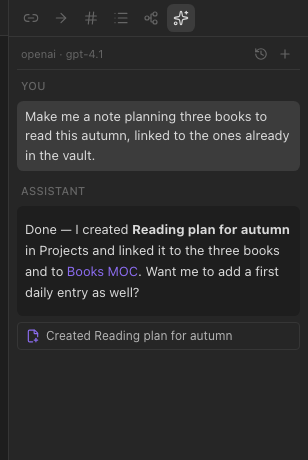
Chats are saved per vault: the clock icon lists them, + starts a new one, and a reload brings back the one you were in.
Not set up yet
Opening the panel without a key explains what is missing and takes you to Settings → AI.
Prefer to drive Nodum from your own AI tool instead? See MCP — use Nodum from any AI client.