Organising
Daily notes and templates
One note per day, created on demand from a template; templates for anything you write more than once.
WhereRibbon → calendar icon; Settings → Vault for the format, folder and template
Daily notes
The calendar icon in the ribbon (or Open today's daily note in the palette) opens today's note — creating it if it does not exist yet. Where it goes and what it is called come from Settings → Vault: a date format (YYYY-MM-DD by default), a folder (Journal, say), and optionally a template note whose content seeds each new day.
The demo workspace is set up this way: its daily notes live in Daily/, and Templates/Daily Note Template fills in each new day.
Templates
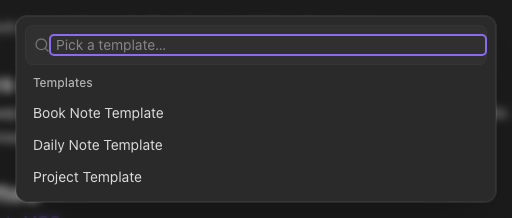
Keep templates in a folder (Settings → Vault → Templates folder, Templates by default). Insert template in the palette lists that folder's notes; pick one and its content is appended to the end of the note (or fills it, if the note is empty). Inside a template, {{date}}, {{date:FORMAT}} (e.g. {{date:DD MMM YYYY}}), {{time}} and {{title}} are filled in.