
Sharing
Publishing and sharing
Share one note by link, or publish a vault as a browsable site.
WhereThe share icon above a note; Settings → Publish for the whole vault
Sharing a note
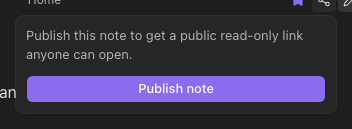
The share icon at the top-right of a note makes a public read-only link to that note. Anyone with the link can read it — no account needed. Turn it off from the same place.
Publishing a vault
Settings → Publish turns the vault into a browsable site at /s/<slug> (the slug is made from the vault's name): every note except those whose frontmatter says publish: false, with navigation and wikilinks that work between pages. Unpublish from the same place; the site goes away immediately.